Kantree 10.9: card templates, conditional formatting and performance mode
TL;DR
Kantree 10.9 is a major update focused on visual flexibility, performance, and automation power. The headline features include reusable card templates, conditional formatting by color, a performance mode for large Workspaces, and a native Jira importer. Whether you manage a team of 5 or 500, this release makes Kantree faster, more customizable, and better connected to your existing ecosystem.
Table of contents
- Visual customization: colors and conditional formatting
- Performance mode for large Workspaces
- Card templates: create, reuse, automate
- New charts: SQCDP and Safety Cross
- Automation improvements
- Quick search, table view and avatars
- Jira importer and CLI
- FAQ: frequently asked questions
- Conclusion
Kantree takes another step forward with version 10.9, a release designed to meet the needs of growing teams with increasingly complex processes. On the menu: deep visual customization, smarter automations, and tools built for performance at scale.
Here is a full walkthrough of everything this version brings to your project management.
Visual customization: colors and conditional formatting
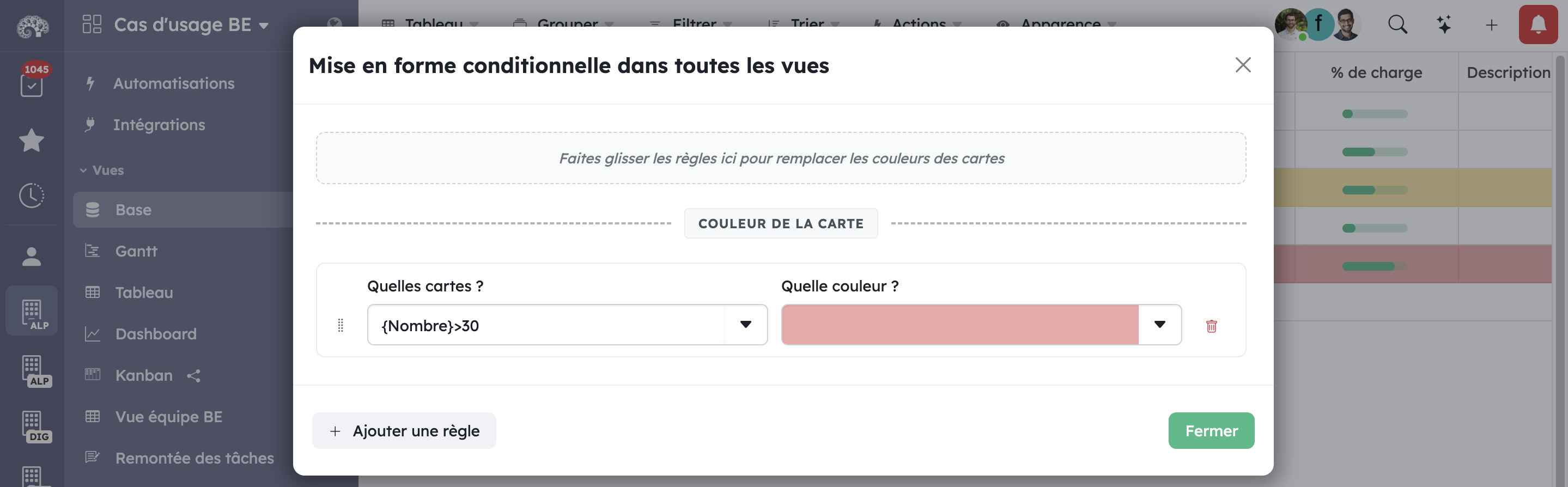
Custom color per card
It is now possible to assign a custom color to each card. A quick glance is all it takes to visually identify priorities, task types, or assignees. This feature integrates naturally into Kanban and table views for faster project context reading.
Conditional formatting rules
Even more powerful: conditional formatting rules let you automatically apply colors to cards based on conditions defined at the Workspace level. For example, highlight in red all cards whose due date has passed, or in green those marked as complete.
This visual approach reduces cognitive load for teams and speeds up decision-making — no technical skills required.
Performance mode for large Workspaces
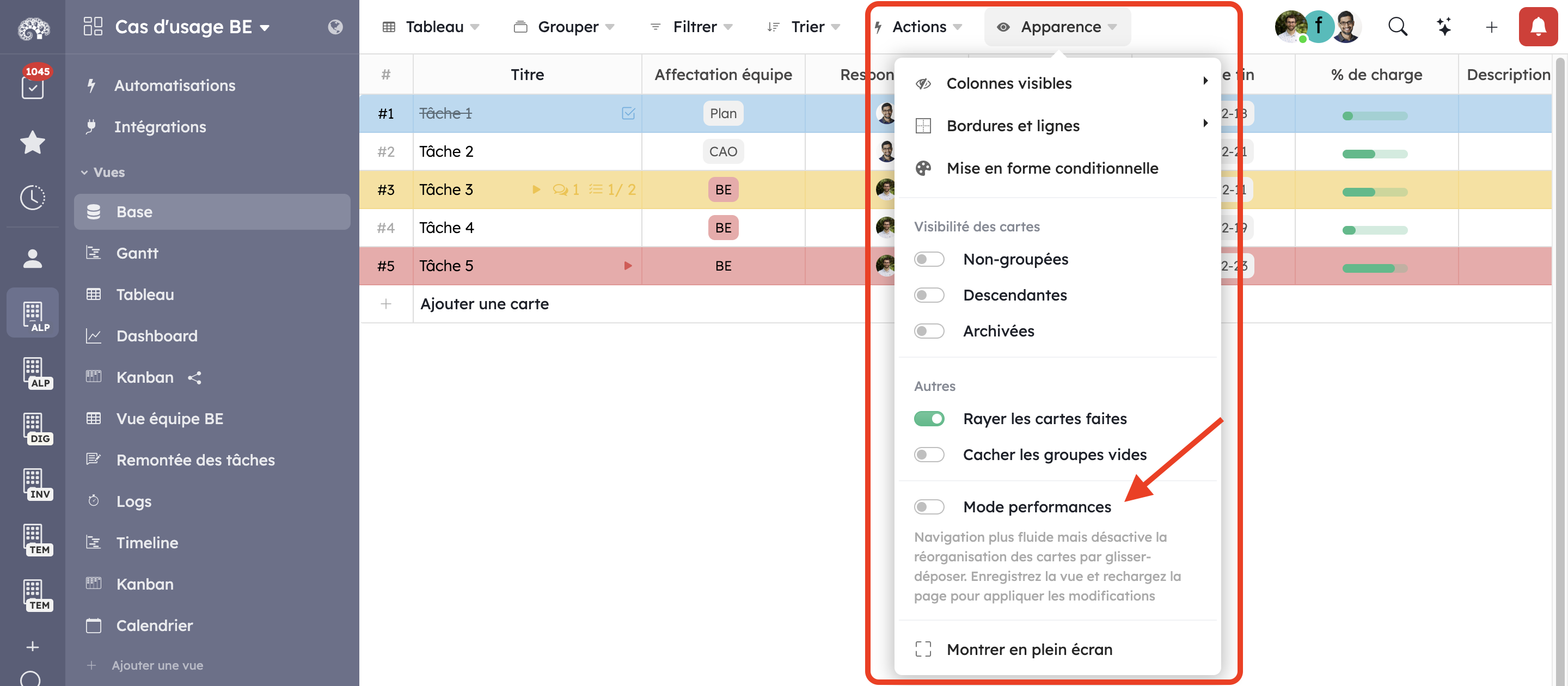
Thousands of cards, without slowdowns
The table view benefits from general performance improvements in this release. For organizations managing large volumes of data, Kantree 10.9 introduces a new performance mode, activatable from the Appearance menu.
This mode disables certain non-essential actions to smooth out rendering and allows managing thousands of cards without any degradation in experience. It is a feature born directly from feedback from customers using Kantree at scale.
Card templates: create, reuse, automate
The most anticipated feature
Card templates are one of the most impactful additions in this release. It is now possible to create reusable models for your most frequent cards: bug reports, feature requests, employee onboarding, and so on.
Three ways to use them
- Manual creation: via the “+” menu in the top right of the Workspace to instantiate a card from a template in seconds.
- Automations: the “Create a card” action in automation rules now supports templates, making it possible to automatically generate pre-filled cards based on defined triggers.
- Sub-card copy: sub-cards from a template can be copied to any existing card, which is ideal for deploying standardized checklists or task structures.
Templates reduce input errors, speed up execution, and ensure consistency across your project structures.
New charts: SQCDP and Safety Cross
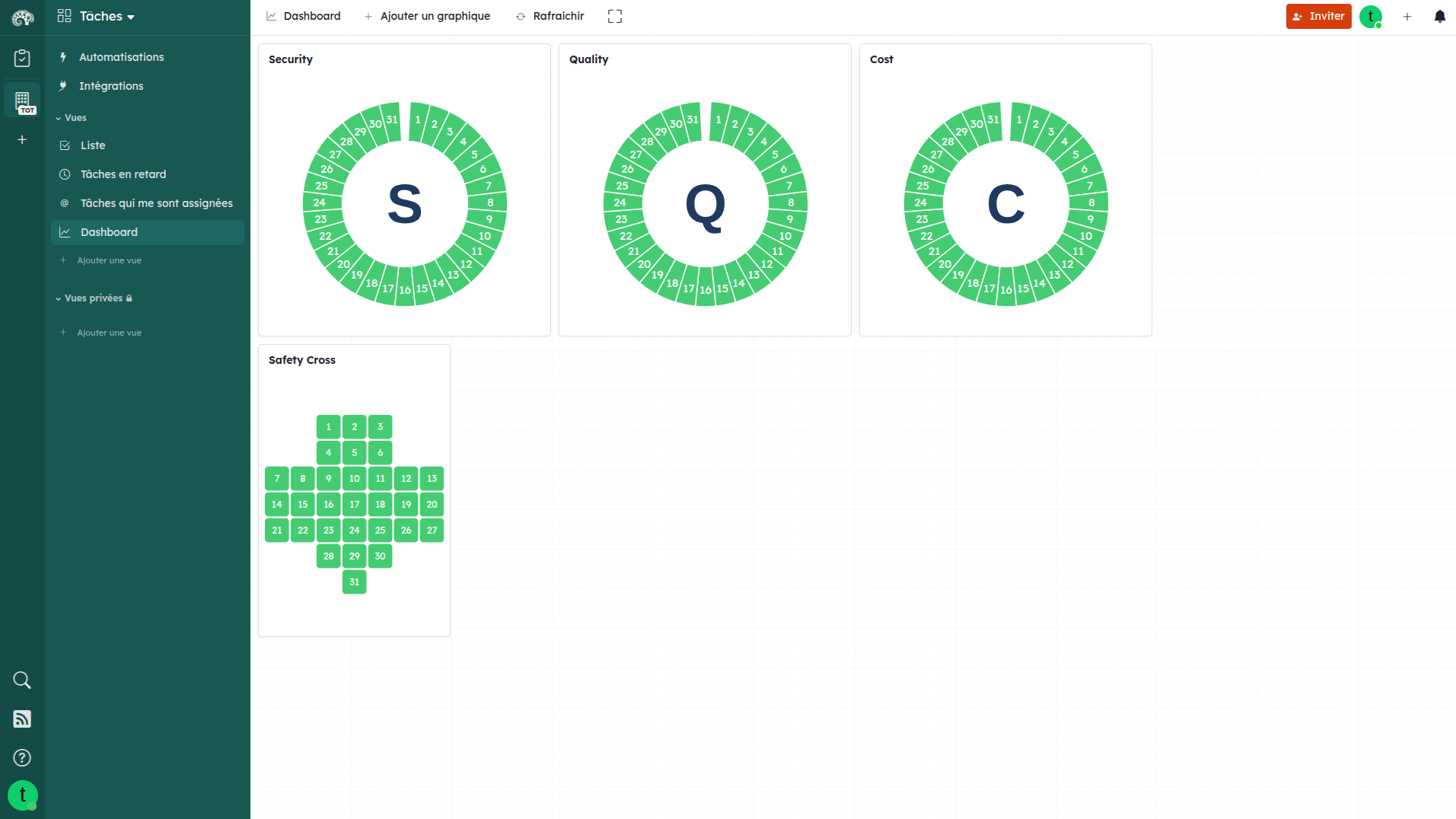
Kantree 10.9 expands its visualization library with two new chart types from the industrial and lean management world:
- SQCDP (Safety, Quality, Cost, Delivery, People): a visual dashboard used for daily operational performance tracking.
- Safety Cross: a tool for tracking safety incidents over a calendar period, widely used in industrial environments and HSE teams.
These additions position Kantree as a serious solution for field, manufacturing, and quality teams, in addition to its well-established use cases in agile project management.
Automation improvements
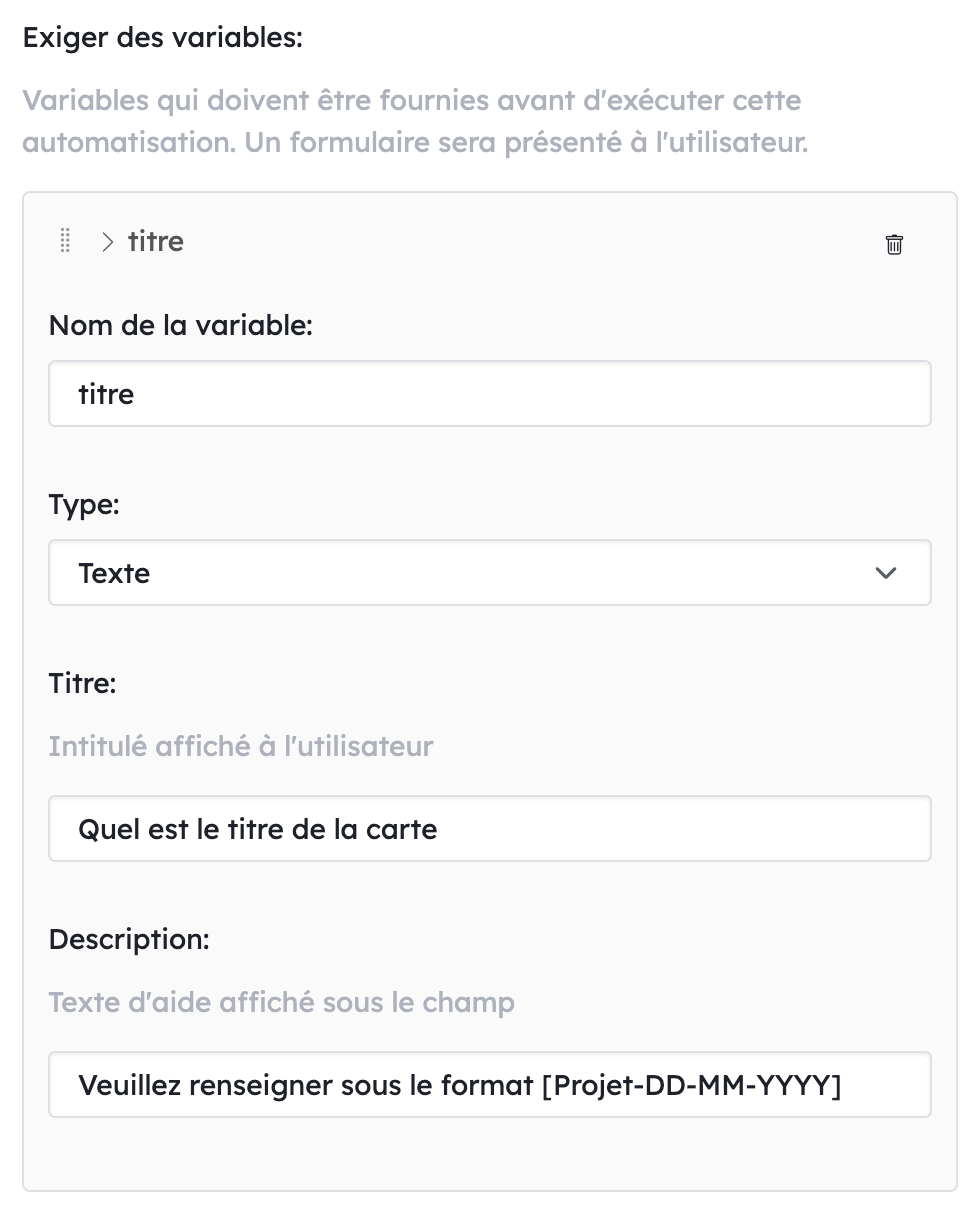
Required variables in manual rules
Manual automation rules now support the concept of required variables. If certain variables are missing at the time of triggering, execution is blocked and a user form appears to collect the necessary information. No more incomplete or silently failing automations.
Trigger an automation from the Actions menu
The “Trigger an automation” option is now available directly from the card Actions menu. No more navigating through settings: the automation is one click away from the card itself.
Simplified “Create a card” action
The “Create a card” automation action has been simplified: the “parent” option is now deprecated, and the overall configuration is lighter for faster setup, while retaining the same functional power.
Improved cross-Workspace automations
Error handling and variable management in cross-Workspace automations have been thoroughly revised. Complex scenarios involving multiple Workspaces are now more reliable and easier to debug.
Quick search, table view and avatars
Cards in quick search
Cards now appear in quick search results, significantly speeding up navigation in dense Workspaces. Find any card in just a few keystrokes.
Aggregation in table view
The table view now lets you change the aggregation type column by column: sum, average, minimum, or maximum. A valuable gain for teams tracking numerical metrics such as budgets, estimates, and volumes.
Avatars with two initials
User avatars now display two initials instead of one, improving visual distinction between collaborators who share the same first name.
New KQL functions
The Kantree Query Language (KQL) gains new functions, extending the possibilities for advanced filtering and view customization for power users.
Jira importer and CLI
Native Jira importer
Kantree 10.9 includes a native Jira importer. Companies looking to migrate from Jira can now import their projects directly, with no third-party tool required. History, tasks, and comments are preserved during the transfer.
This is a direct response to the announced end of support for Jira Data Center on-premise in 2029, which is pushing many teams to look for a modern and sustainable alternative.
Command-line interface (CLI)
A CLI is now available for card export and import. It is aimed at technical and DevOps teams who want to integrate Kantree into their CI/CD pipelines, backup scripts, or system administration workflows.
FAQ: frequently asked questions
Are card templates available on all plans? Yes, card templates are available to all Kantree users, with no plan restrictions.
Does performance mode affect all views? No, performance mode applies only to the table view and is activated manually from the Appearance menu. Other views are not affected.
Is conditional formatting customizable per project? In this version 10.9, conditional formatting is managed at the Workspace level. Per-project management is planned for future releases.
Does the Jira importer support both Scrum and Kanban projects? Yes, the native importer supports both Jira project types, preserving the structure and associated data.
How do I enable performance mode? Go to the Appearance menu in your Workspace table view, then enable the “Performance mode” option from the display settings.
Conclusion
Kantree 10.9 is a substantial update that strengthens the platform across three strategic areas: visual customization, scalability, and automation power. Whether you are an agile team of 10 or an industrial organization managing thousands of tasks, this release delivers concrete tools to work smarter and faster.
The addition of the native Jira importer and CLI confirms Kantree’s commitment to fitting naturally into complex technical ecosystems, while remaining accessible to non-technical teams through its intuitive interfaces.
Try Kantree 10.9 right now
Access card templates, conditional formatting, and all the new features in seconds.
15-day free trial • No credit card required
To go further
3 possibilities are available to you if this topic interests you:
-
1
Try Kantree here, it is free and you don’t need any credit card
-
2
If you want to learn more about how Kantree can adapt to your challenges, make an appointment with an expert on your use case.
-
3
Are you willing to join +1500 professionals receiving our advices and news on digitalization, collaboration, productivity? Register to our newsletter here.
If this article has been useful to you, consider sharing it. You can do it easily below.