The platform to build your business apps
Fields, views, forms, automations, dashboards and AI combine into the apps your teams need: your data, your vocabulary and your processes, configured by the business itself, without a line of code.
- No credit card required
- ISO 27001 certified
- Made & hosted in the EU
Trusted by







An application that speaks the language of your business
Especially relevant when more than five people share a workspace, or when you collaborate on it with other teams and external partners.
Business administrators secure the processes and bring the teams into a clear, guided path.
Processes are digitized by those who know them best: the configuration is done by the business.
Teams find the processes and the vocabulary of their activity. Nothing superfluous, only what they need.
Everyone saves time thanks to the automation of the processes.
Collaboration and internal communication get simpler, inside the team and beyond.
The app adapts as your processes and the organization of your teams change.
Set up your data model
Use card types to represent different data in the same workspace: a project, a task, a meeting… Each type gets the fields that make sense for it, named your way and placed in one of the three areas of the card.
- A "meeting date" on meetings, an "expected end date" on projects: each card type has its own fields
- Member fields that only offer the members with a given role
- Relationship fields limited to a single card type
- Fields and card types added or removed as your needs evolve
Put automation in the right place
Rules with a manual trigger become buttons, right where users need them. They see the next step of the process at the right time, and you decide who can run it and when.
- Action buttons in the toolbar of a view
- Action buttons in the toolbar of a card
- Conditions on a filter and on roles: until they are met, the button is visible but cannot be triggered
- Required variables: questions asked in a form when the rule is triggered, then used by the rule
Generate your indicators
The Dashboard view gathers visual indicators and lists of cards in one place. Start from the widgets with ready-made queries, or write your own with the custom query widget and the KQL language.
- Progress, statuses and workloads at a glance
- Lists of cards to follow what is on hold
- Custom queries written in KQL
An industrial commissioning process, from reception to delivery
A commissioning manager wants to automate the processes of a team of 2 managers and 10 technicians. At each step of the process, specific tasks are assigned to the managers or to the technicians.
- Reception
- Verification
- In progress
- Back to assembly
- Sale
- Commissioning completed
-
The data model
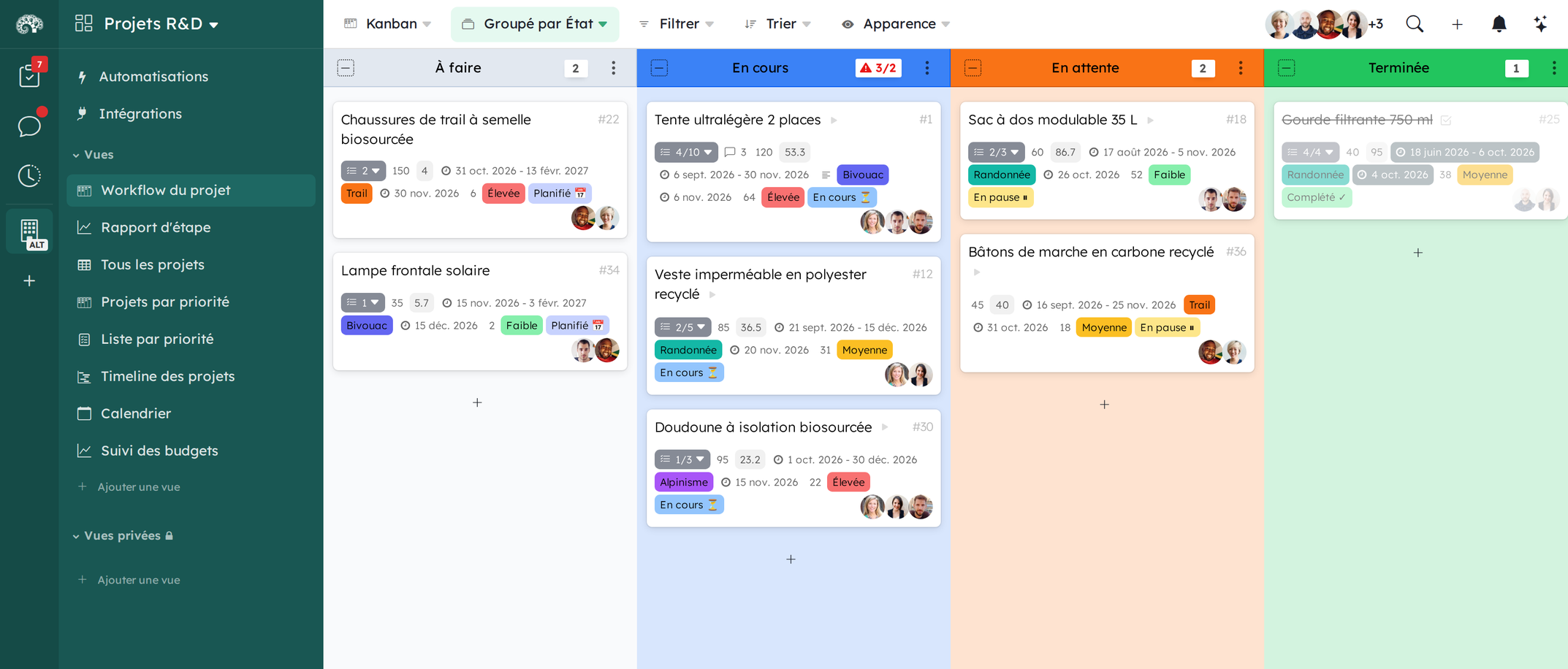
Three card types: “Commissioning”, from reception to the end of the tests, “Task” for the associated actions and “Team meeting”. A label field carries the status of the process, and a relationship field keeps the cards in sync.
-
The views
A Kanban grouped by status to follow the commissionings, another one grouped by status and technician for the tasks, a table focused on the return requests, and a private view for the weekly actions of each collaborator.
-
The automations
The production team creates a card through a form link available on the organization page. The return to production is a button on the card, and the last step can send a confirmation email to the client.
-
The structure
The structure of the workspace and the shared views are locked once validated. Specific roles are created, such as an observer role for the production team or the client, and each view is only visible to the roles it is meant for.
There's definitely a template for you
Start in a few clicks with our templates
Ready to build your business app?
Start from a template or from scratch in a few minutes, or let us help you model your process.
- 15-day free trial
- No credit card required